
WP Equation Web User Role Manager
Features — Version 1.0.0
A detailed list of the features available in this version.
Administration workspace
1. Dedicated WordPress menu
Opens EQ-Web Role Manager from the WordPress administration menu for users with the manage_options capability.
2. Three main work areas
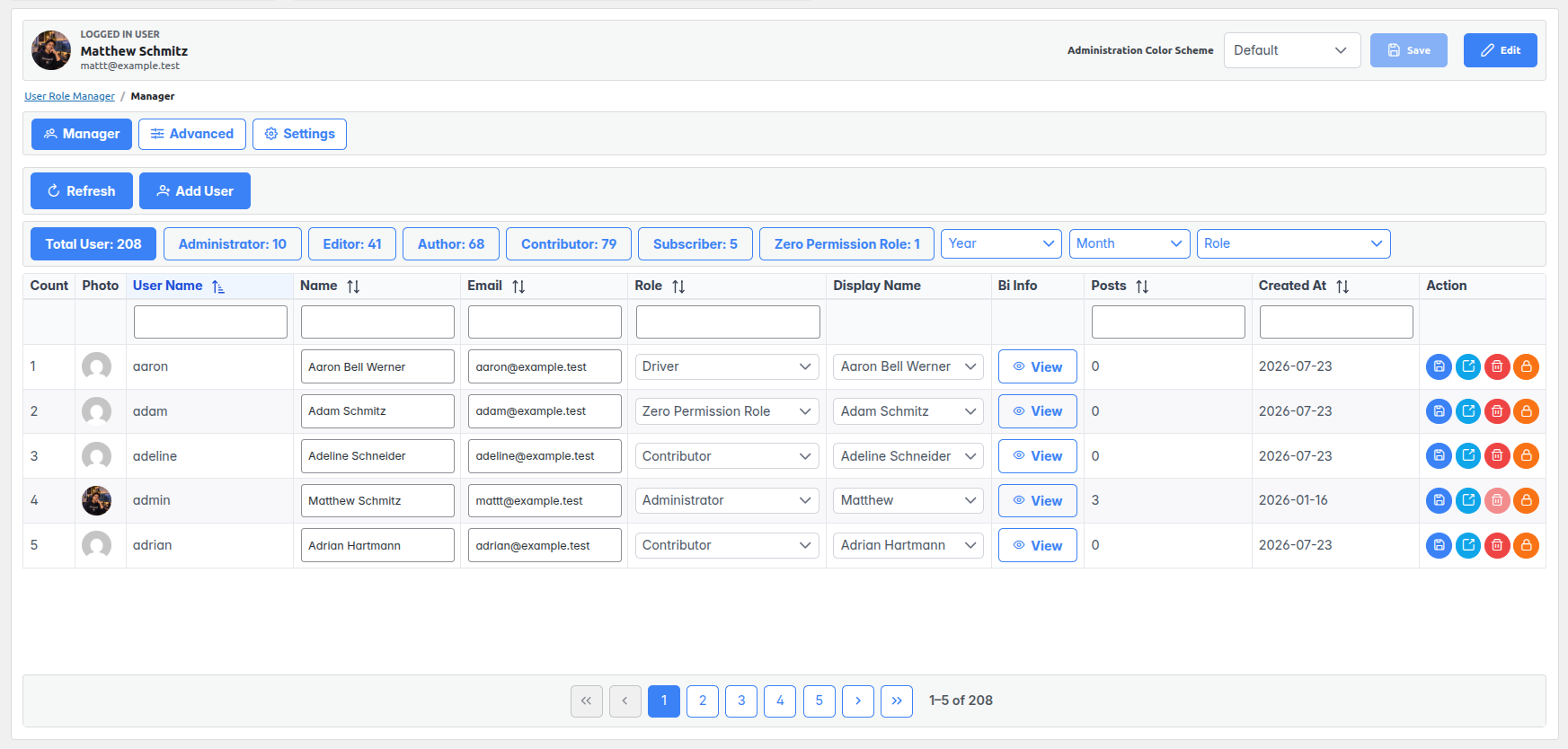
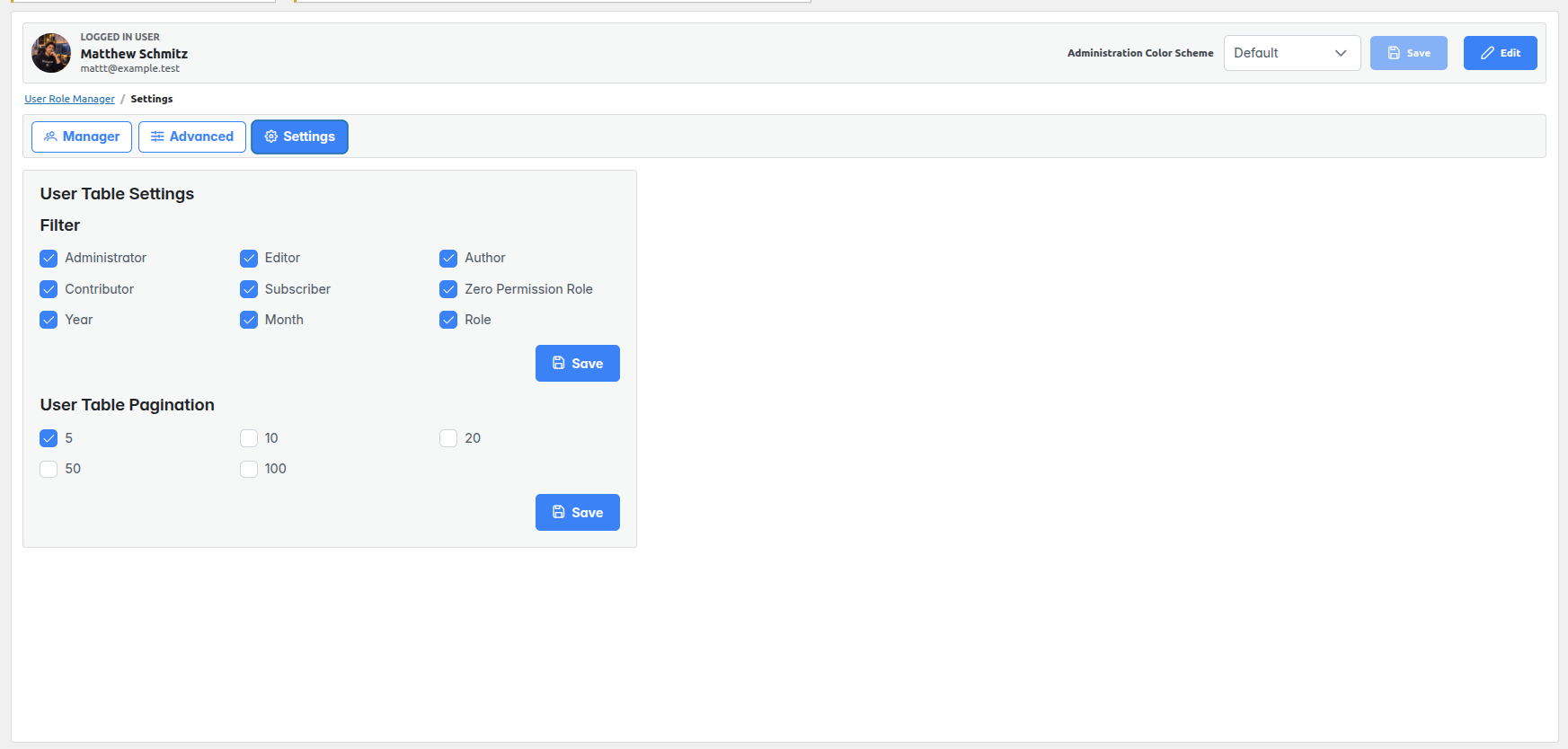
Manager handles users, Advanced covers role creation, role management, and permissions, and Settings controls the user table.
3. Responsive in-page workflow
User lists, filters, role actions, and settings update through requests within the interface, avoiding a full page reload for routine tasks. Saving an administration color scheme is the exception: it reloads the page to apply the chosen scheme.
User directory and discovery
4. Detailed user table
Displays a row number, profile photo, username, name, email, role, display name, biographical information access, published post count, registration date, and actions.
5. User totals and role shortcuts
Shows a total user count and counts for Administrator, Editor, Author, Contributor, Subscriber, and Zero Permission Role. Clicking a role count narrows the table to that role.
6. Column filters
Searches username, name, email, role, posts, and registration date directly from table filter fields. Typing is briefly delayed before the request is sent to keep filtering responsive.
7. Additional filters
Provides role selection plus registration year and month controls. Filters can be combined to focus a review.
8. Sorting
Sorts supported columns, including username, name, email, role, posts, and registration date, in ascending or descending order.
9. Refresh and reset
Refresh clears active table filters and date selections, then loads the user list again.
10. Server-side pagination
Loads only the requested page of users. First, previous, numbered, next, and last page controls appear with a current page report.
User account actions
11. Create users
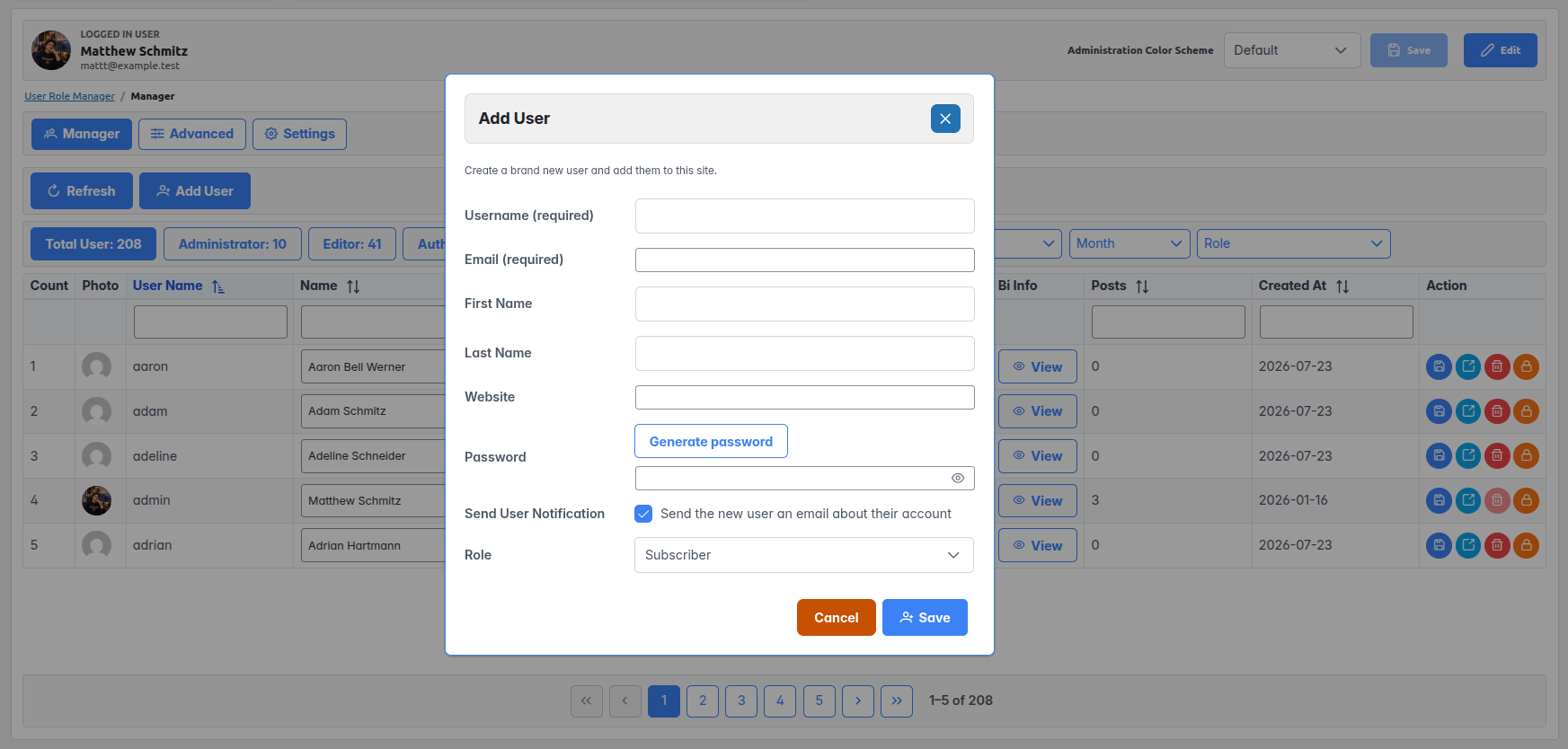
Adds an account with required username, email, password, and role, plus optional first name, last name, and website. The administrator can choose whether WordPress sends a new-user notification.
12. Generate a password
Creates a password in the Add User form using browser cryptographic random values.
13. Edit user details in the table
Changes username, name, email, role, and display name from the user row. A confirmation dialog lists the proposed changes before saving.
14. Role reassignment
Selects another existing role for a user as part of the user-edit workflow, subject to WordPress permission checks.
15. Biography viewer and editor
Opens biographical information in a dialog and saves edits without leaving the manager.
16. Profile photo preview
Opens a larger view of the user avatar from the table.
17. Set a new password
Provides a password dialog for setting a new password for a selected user.
18. Send a password reset link
Uses the standard WordPress password-reset email flow for the selected user.
19. View public author page
Opens the user’s author page in a new browser tab.
20. Delete users
Requires confirmation before deleting a user. The signed-in account cannot be deleted from this interface.
Role creation and maintenance
21. Create an empty custom role
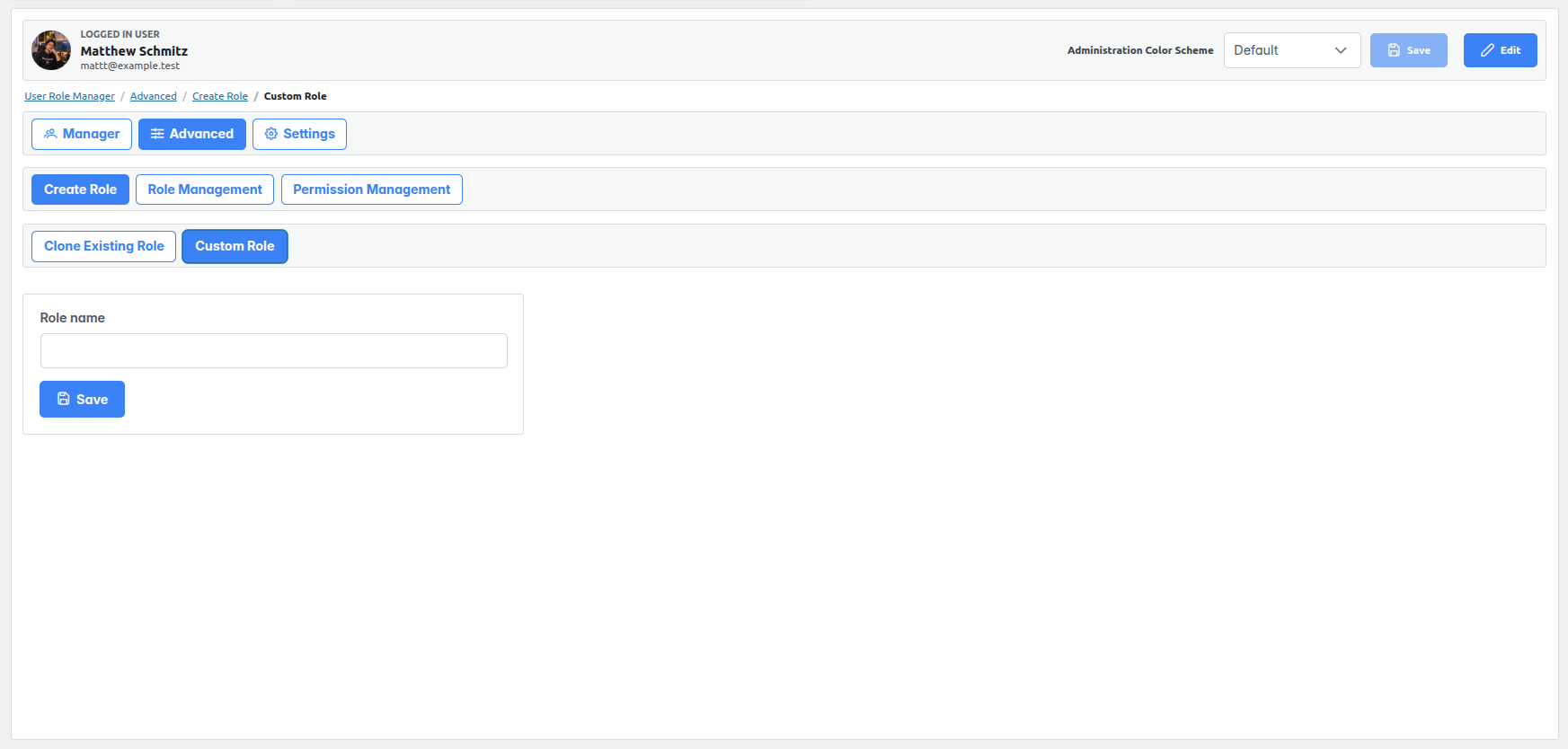
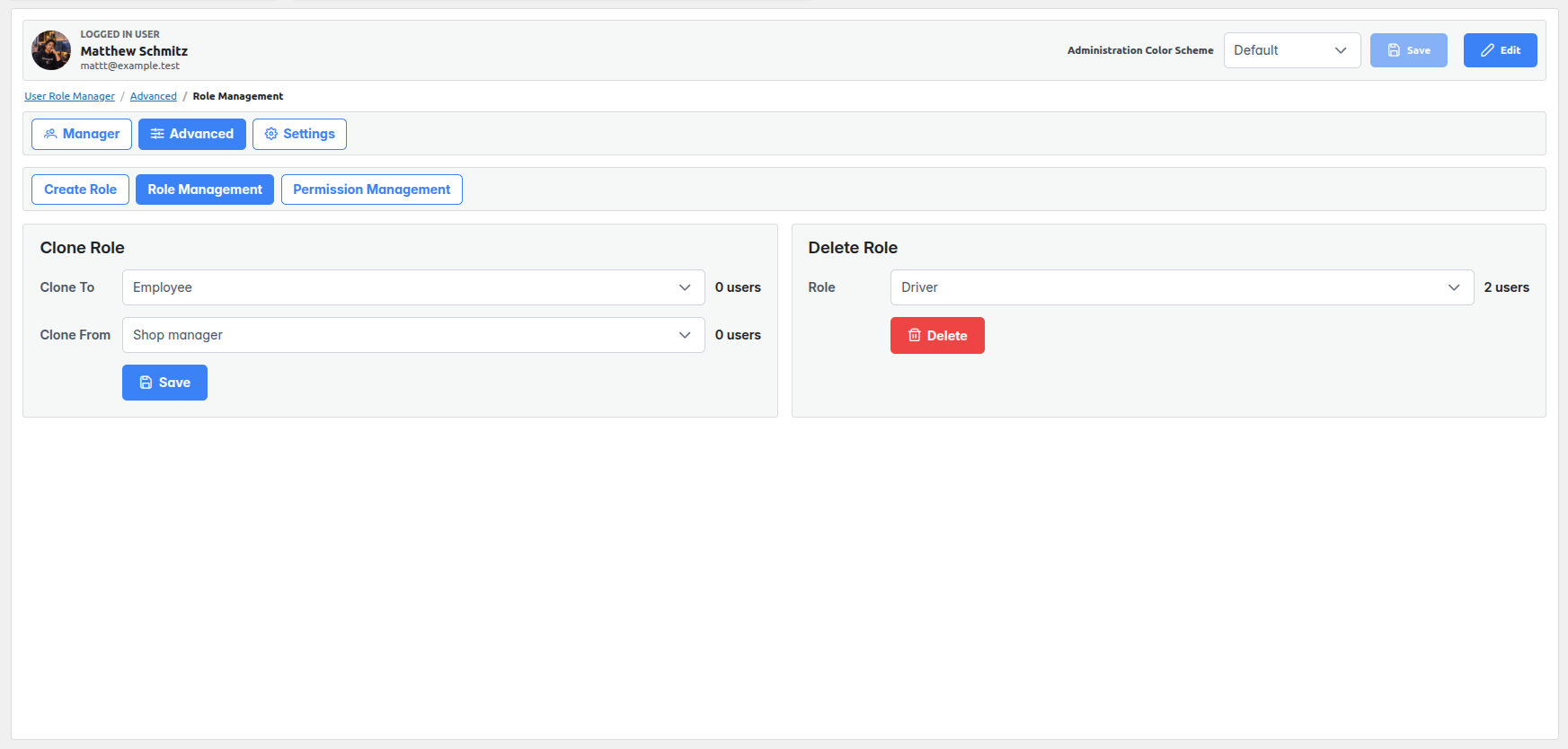
Creates a role with a chosen name and no initial capabilities so access can be added deliberately.
22. Create a role from an existing role
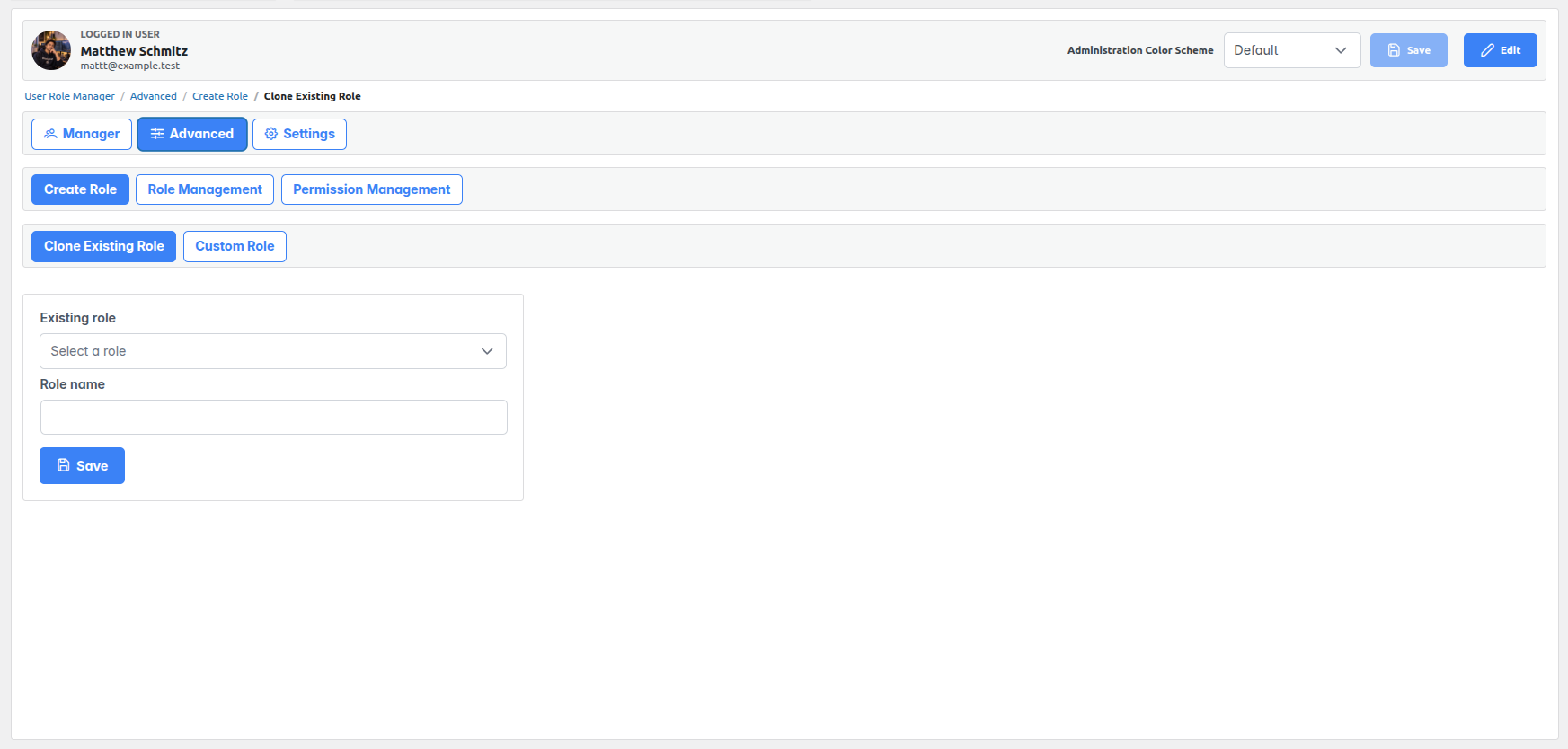
Copies an existing role’s capabilities into a newly named role to provide a starting template.
23. Clone capabilities into an existing custom role
Copies a source role’s capabilities onto a selected target role after confirmation. This replaces the target’s current capability set; protected roles cannot be targets.
24. Role user counts
Displays how many users hold each selected source, target, or deletion role in the role management screens.
25. Delete custom roles
Deletes a selected custom role after confirmation. Standard WordPress roles and Zero Permission Role are protected from deletion.
26. Preserve accounts during role deletion
When a deleted role has users, the administrator confirms moving them to Zero Permission Role. The plugin also prevents deletion if that operation would reassign the signed-in administrator’s own account.
Permissions and access safeguards
27. Capability editor for custom roles
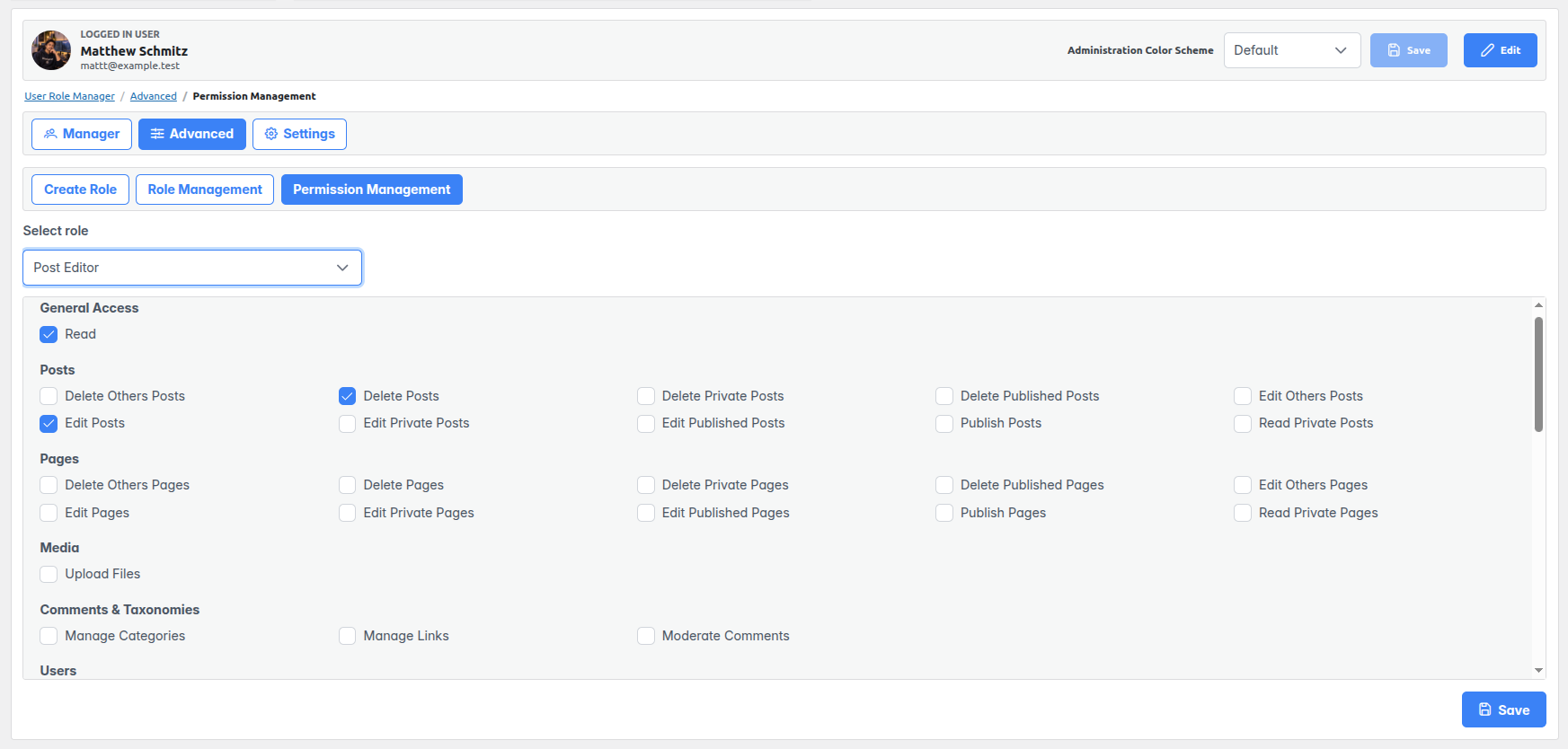
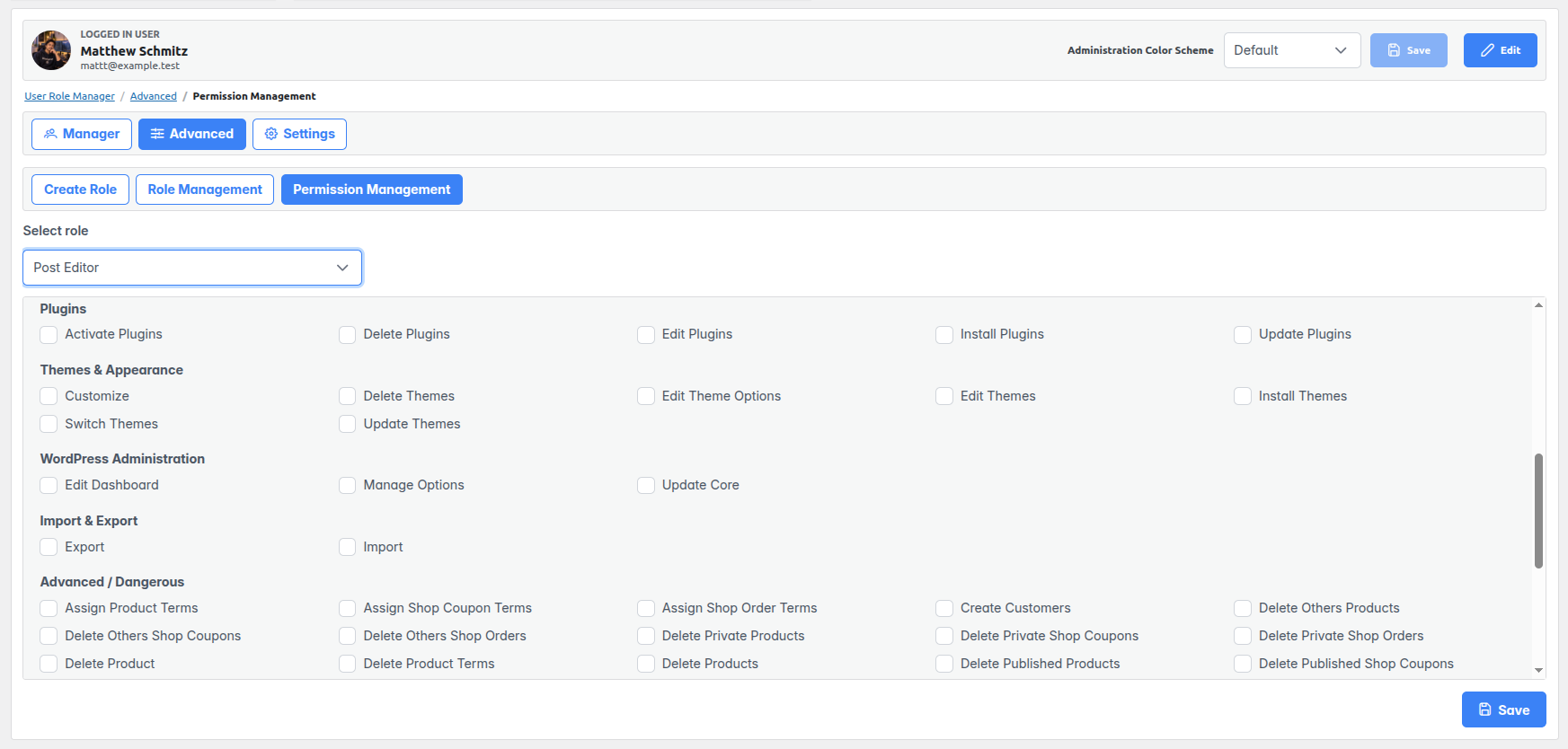
Displays the capabilities available on the site and allows an administrator to grant or remove individual capabilities for a custom role.
28. Capability groups
Organizes permissions under General Access, Posts, Pages, Media, Comments & Taxonomies, Users, Plugins, Themes & Appearance, WordPress Administration, Import & Export, and Advanced / Dangerous.
29. Protected baseline roles
Prevents capability edits to Administrator, Editor, Author, Contributor, Subscriber, and Zero Permission Role within the plugin.
30. Protected network capabilities
Marks Super Admin and network-level capabilities as unavailable for change in the capability editor.
31. Zero Permission Role
Creates and maintains a role with no capabilities. It can be assigned to users while access is reconsidered and serves as the destination for users whose custom role is deleted.
32. Permission checks
Limits the administration page and relevant API actions to authorized WordPress users; creating or deleting users and deleting roles have additional capability checks.
Personal table and profile settings
33. Choose visible filter controls
Each administrator can show or hide shortcuts for the five standard roles and Zero Permission Role, along with the year, month, and role filters.
34. Choose table page size
Selects 5, 10, 20, 50, or 100 user rows per page. The choice is stored per administrator.
35. Confirm settings changes
Asks for confirmation before saving filter and pagination preferences, then applies them to the open user table.
36. Administration color scheme
Previews and saves one of the available WordPress administration color schemes for the signed-in user.
37. Profile preferences
Allows the signed-in user to control code-editor syntax highlighting, comment moderation keyboard shortcuts, and toolbar visibility while viewing the site.